
Show visitors you're trustworthy and authentic
Protect sensitive information like data, login details, and payment cards with an SSL Certificate. Opt for our Managed SSL service, and we’ll handle the setup in less than an hour while ensuring continuous updates and maintenance.
1- Website
Basic SSL certificate.
With a 3-yr term. You pay $235.17 today. Auto-renews Sep. 2028 at $403.17. Cancel anytime in Account Settings.
1 WEBSITE, FULLY MANAGED
Leave installation and maintenance to Mamdali Technology, while enjoying higher rankings and more traffic.
With a 3-yr term. You pay $335.97 today. Auto-renews Sep. 2028 at $671.97 ++ Cancel anytime in Account Settings.
5 WEBSITES
Encrypt multiple websites and/or servers while saving cost vs. multiple single-domain certificates.
With a 3-yr term. You pay $739.17 today. Auto-renews Sep. 2028 at $1,007.97. Cancel anytime in Account Settings.
Standard level domain validation (DV)
1x encryption refresh, annually
Managed by Mamdali Technology
1 WEBSITE, UNLTD. SUBDOMAINS
Encrypt your primary domain and unlimited subdomains with this cost-effective certificate.
With a 3-yr term. You pay $1,175.97 today. Auto-renews Sep. 2028 at $1,679.97. Cancel anytime in Account Settings.
Show up higher in search results when you have an SSL.
Show up higher in search results when you have an SSL.
Your search bar displays the trust indicator — which provides peace of mind.
Verifies that your customers' data is safe.
Buy without worries as you find the plan that works best.
More SSL Certificate options
These advanced SSL certificates verify your business identity, strengthening customer trust by demonstrating authenticity — fully managed by Mamdali Technology.
For maximum validation and brand credibility, these SSL certificates are ideal for high-traffic websites, eCommerce platforms, or any site that processes customer data — all managed by Mamdali Technology.
We install your Managed SSL
Set up your Managed SSL Certificate plan in just one easy step
How to install your SSL Certificate
Step-by-Step Guide to Installing Your SSL Certificate
Let's find the right SSL certificate to help protect your site
First question: How many websites do you need to protect?
How to install your SSL Certificate
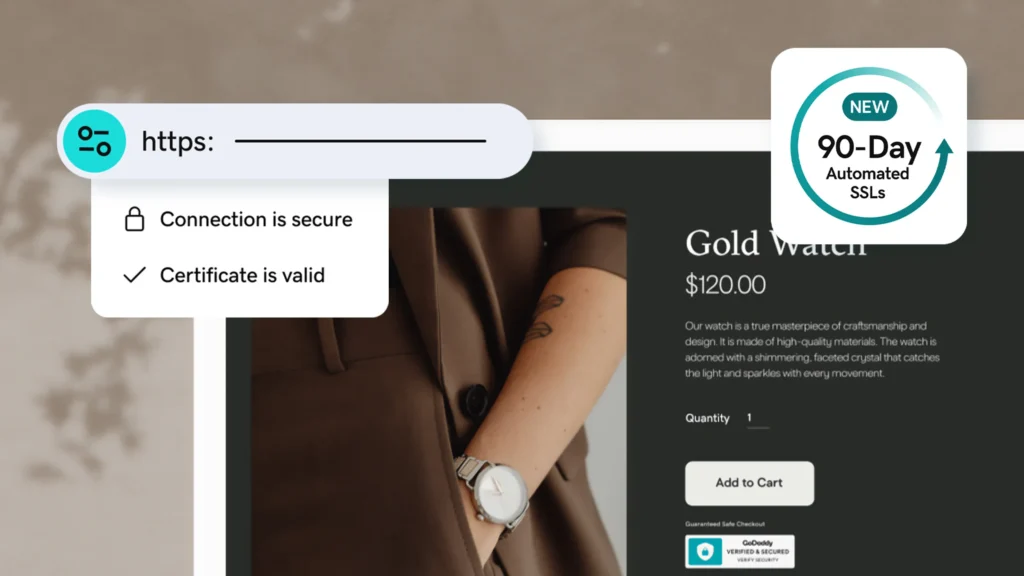
Our Managed SSL certificates are now automatically reissued every 90 days to enhance your site’s security, surpassing the industry standard of a single annual re-issuance.
Search engines prioritize HTTPS-secured websites, often ranking them higher in search results.
You can always count on receiving friendly, knowledgeable, and hands-on support from our Mamdali Technology security experts.
An SSL certificate safeguards online businesses and helps comply with standards and regulations like PCI-DSS, HIPAA, HITECH, GDPR, and others.
Mamdali Technology is a trusted Certificate Authority (CA) member. Our SSL certificates help boost user confidence by verifying that your online identity is secure.
Provide customers with secure online payment options and encourage them to keep shopping. SSL certificates use end-to-end encryption to protect sensitive customer data from unauthorized access.
Get protection above and beyond SSL encryption
All-in-one website security plans provide 24/7 protection, including SSL, malware detection and removal, firewall, backups, and real-time alerts.
As low as
GoDaddy SSL Certificate FAQ
SSL Certificates (Secure Sockets Layer) authenticate websites and enable them to switch from HTTP to HTTPS, securing the exchange of sensitive information between visitors and your site.
Having an SSL certificate builds trust with your visitors, keeps user data safe, verifies ownership of your website, and prevents attackers from creating fake versions of your site. With an SSL certificate, your customers can feel confident that any information they enter on secured pages is encrypted. Mamdali Technology makes installing your SSL certificate simple while protecting sensitive customer data.
Key Benefits:
Authentication – SSL certificates verify domain ownership and help prevent spoofing or domain attacks.
Encryption – SSL/TLS encryption uses public/private key pairs to establish secure connections between the client and server.
HTTPS – SSL certificates are essential for HTTPS websites, ensuring encrypted traffic while enhancing credibility and trust for site visitors.
For more information on SSL certificates, contact Mamdali Technology or check out our detailed resources.
Once your Mamdali Technology SSL certificate is issued, we’ll notify you via email. The next steps depend on your website hosting and the options selected when purchasing the certificate.
If you are using our web hosting, website builder, or online store services, we’ll handle the entire setup for you. If your site is hosted with another provider or on our VPS hosting, additional instructions are available.
For guidance on installing an SSL certificate on Parallels Plesk Panel, cPanel, or Microsoft IIS, please refer to our support resources.
There are three types of SSL certificates, each offering different levels of security. Understanding them is crucial for selecting the right certificate to protect your visitors’ data.
Domain Validated (DV) SSL Certificate: DV certificates verify the ownership of a domain. The Certificate Authority sends an email to the site’s registered email address to confirm identity. No company details are required, making DV certificates the quickest and easiest to obtain.
Organizationally Validated (OV) SSL Certificate: OV certificates require the Certificate Authority to validate the organization, physical address, and domain name. This process usually takes 2–3 days. OV certificates provide a moderate level of trust and are suitable for public websites with lower-risk transactions.
Extended Validation (EV) SSL Certificate: EV certificates provide the highest level of security, ideal for sites handling sensitive information. Before issuing an EV SSL, the Certificate Authority conducts a thorough review of corporate documents, verifies identity, and confirms details via trusted third-party databases.
Certificates with 90-Day Validation
All Managed SSL subscriptions and SSL certificates provided through Mamdali Technology’s web hosting or Managed WordPress services come with 90-day validation. These certificates automatically renew every 90 days. For more details, see our FAQ on 90-Day SSL certificates.
Certificates with 1-Year Validation
Do-It-Yourself or Self-Managed paid DV SSL certificates come with 1-year validation. If your DV SSL certificate is linked to a domain managed by Mamdali Technology, we will automatically revalidate and install your SSL certificate throughout the subscription period. For certificates connected to external domain providers, you are responsible for manually installing the reissued certificate.
All SSL-secured websites display the https:// prefix in the browser’s address bar. Sites with a Mamdali Technology Premium EV SSL certificate also show a trust indicator, reassuring visitors that the organization’s legal and physical existence has been verified according to strict industry standards.
When you purchase a Mamdali Technology Premium EV SSL certificate, it undergoes a thorough vetting process. We verify domain control and the legitimacy of your business by confirming legal name, address, phone number, and other company details. This process typically takes around 30 days, but your transactions remain protected during this period. Mamdali Technology provides a free Standard SSL certificate to use while the EV validation is underway, ensuring continuous security.
For more information, see our guide: What are the advantages of a Premium Extended Validation (EV) SSL certificate for your business?
Answer these questions to help identify the SSL certificate that best suits your needs:
Where are you located?
Mamdali Technology certificates are issued worldwide with a few exceptions. Check our coverage list to see if your region is included.
Do you have a business or personal website?
For informational business sites or personal websites not selling products, a Standard SSL certificate (DV) is sufficient. Ecommerce websites should consider a single-domain Standard SSL (DV) or a Premium SSL (EV) certificate.
Which type of web hosting server do you use?
Mamdali Technology SSL certificates work with most hosting and server configurations. To protect multiple domains on Microsoft Exchange Server 2007, Exchange Server 2010, or Live® Communications Server, use a Multiple Domain UCC SSL certificate.
How many domains need protection?
Wildcard SSL certificates cover multiple subdomains, e.g., *.coolexample.com secures shop.coolexample.com, www.coolexample.com, and other subdomains.
UCC SSL certificates secure multiple domains, subdomains, and websites, e.g., www.coolexample.com, mail.coolexample.com, and www.awesomeexample.com.
Do you need SSL support for Intel vPro technology for remote PC management?
For this, you’ll need our OV Deluxe certificate.
The process depends on the software running on your web server. Learn more. For instructions on generating a CSR on Plesk Panel, cPanel, or Microsoft IIS, please refer to our guides provided by Mamdali Technology.
A Unified Communications Certificate (UCC) is an SSL certificate that secures multiple domain names and host names under a single domain. With a UCC SSL certificate, you can protect a primary domain and up to 99 additional Subject Alternative Names (SANs) using one certificate. For example, a UCC can secure www.domain1.com
, www.domain2.net
, and www.domain3.org
.
UCCs are compatible with shared hosting and work well with Microsoft® Exchange Server 2007, Exchange Server 2010, and Microsoft Live® Communications Server. Note that the site seal and certificate will display only the primary domain, while secondary domains are listed in the certificate. If you prefer that your sites remain unconnected publicly, a UCC may not be the right choice.
Depending on your website setup, you may need more than a single-domain SSL certificate.
Wildcard SSL certificates secure all subdomains of a domain. For example, *.coolexample.com protects shop.coolexample.com, www.coolexample.com, and any other subdomains.
UCC SSL certificates cover multiple subdomains, distinct domain names, and websites. For instance, www.coolexample.com, mail.coolexample.com, and www.awesomeexample.com can all be secured with a single UCC SSL certificate.
Visit the Mamdali Technology Knowledge Base to learn more about SSL certificate setup, usage, and management.